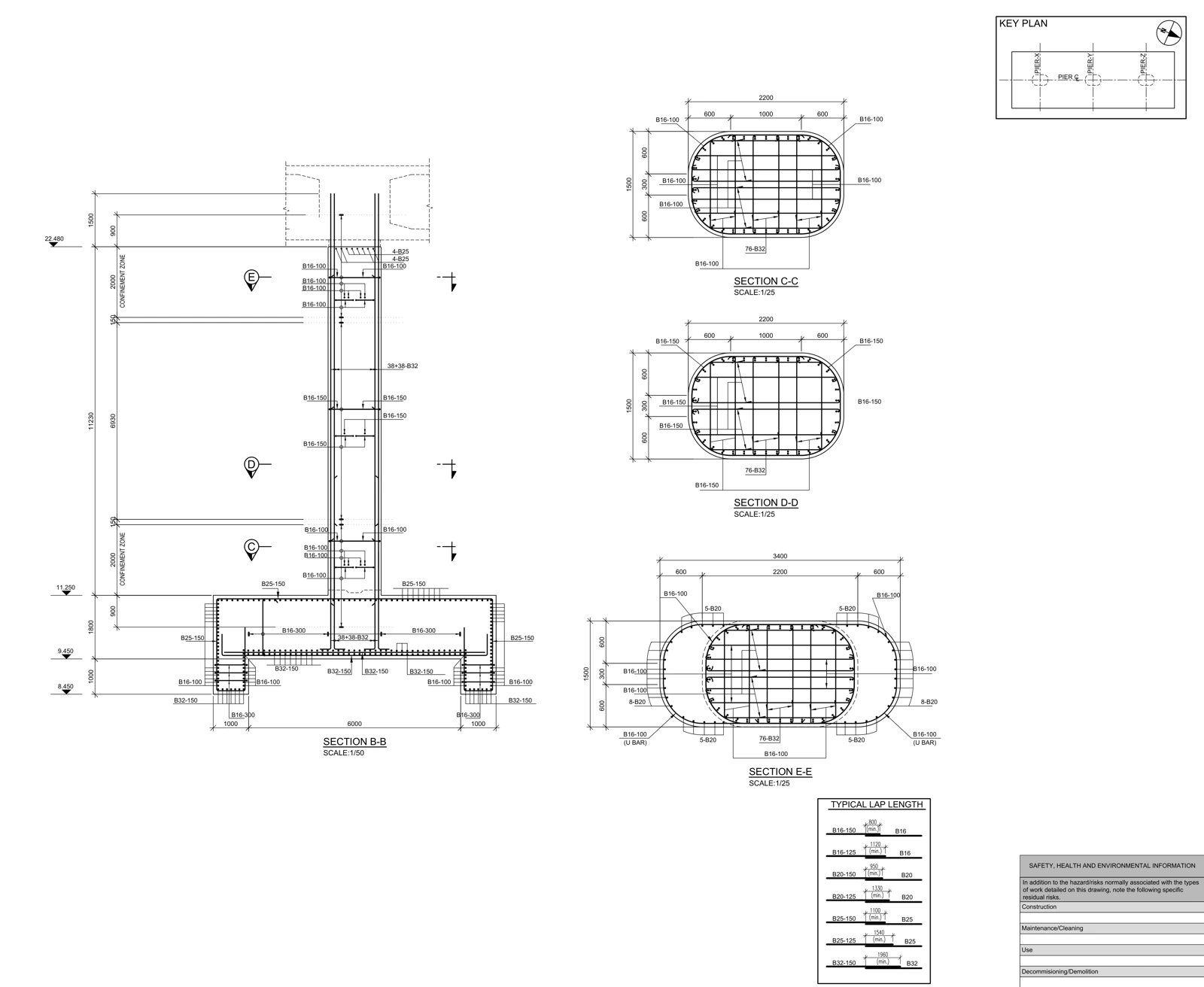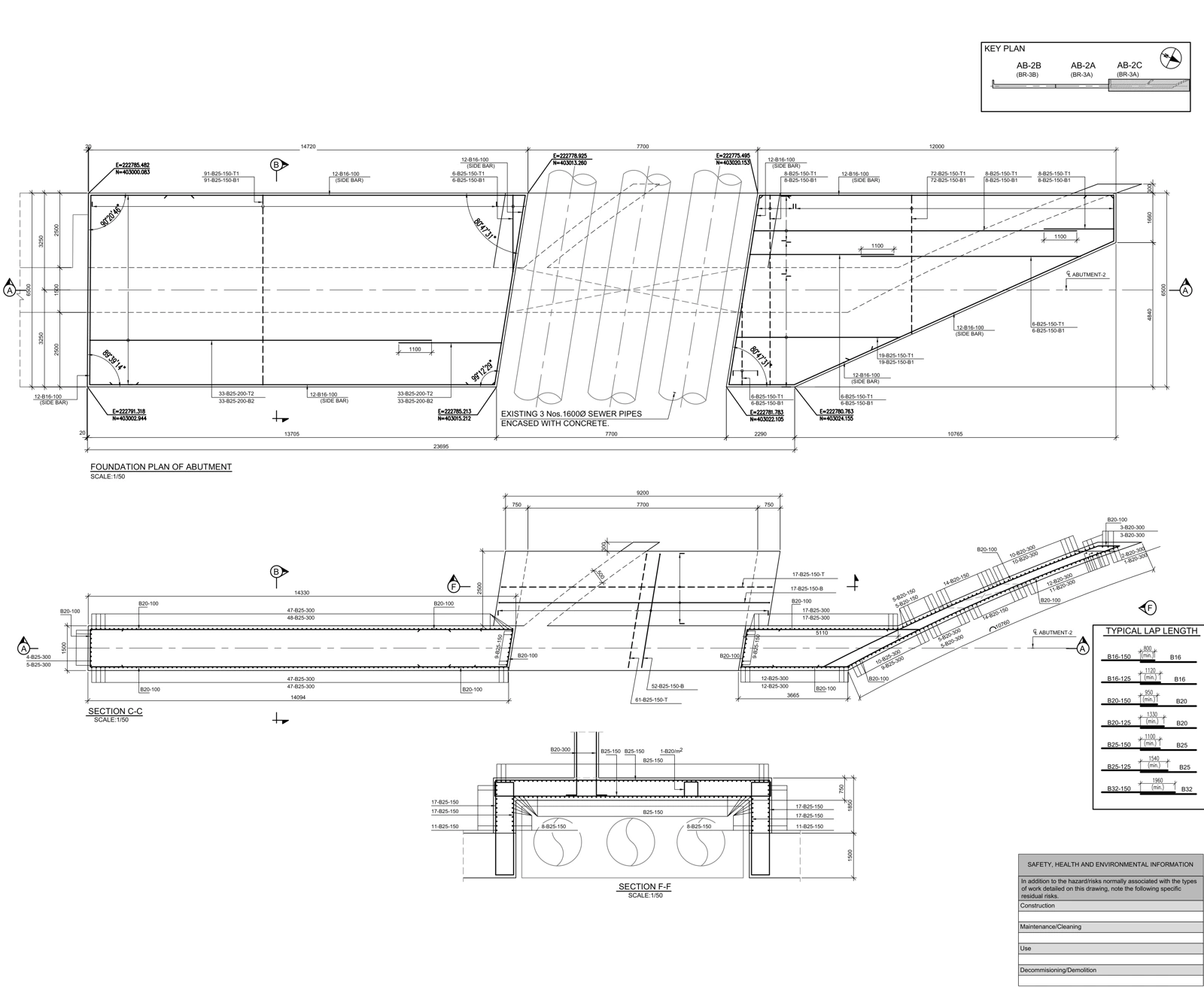
Begin architectural–structural coordination by validating revisions and shared positioning. Review openings, grids, levels and required clearances, then track findings with source evidence, element references, an owner and a recorded decision. Zero detected clashes is not proof of constructability.
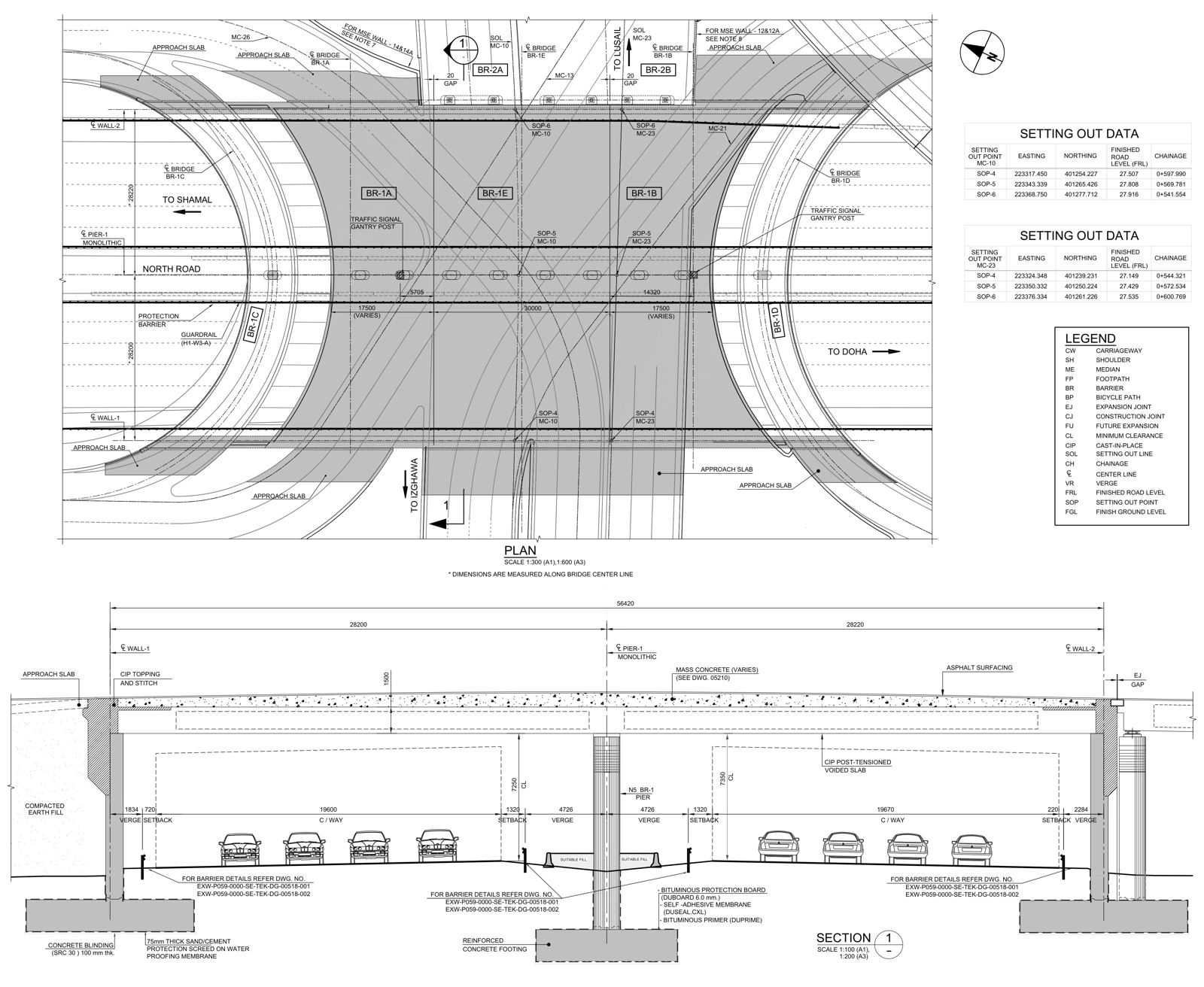
Validate alignment before interpreting results
Record the model revision, coordinate basis, units, grids and reference levels before comparison. Autodesk’s collaboration workflow describes linking and shared-coordinate relationships. Autodesk — Collaborating with Revit Models ↗
Check multiple distributed reference points. Matching at one point can conceal a rotation or vertical offset. Visually moving a model into place is not equivalent to establishing an agreed positioning relationship. If a reference transformation changes, reassess existing issue locations as well as the current geometry.
Classify the decision the issue requires
| Issue type | Example | First action |
|---|---|---|
| Geometric overlap | An opening intersects a structural member | Validate source elements and revisions |
| Level / dimension mismatch | Finished floor and structural slab relationship | Expose finish and tolerance assumptions |
| Operational clearance | A maintenance envelope is obstructed | Obtain the equipment/access envelope |
| Missing information | Opening dimensions exist in only one source | Request the governing design input |
| Intentional intersection | Concrete members designed to connect | Record the project-specific rationale |
Treating every intersection as a defect generates noise. Ignoring every small overlap can conceal a critical interface. Define review scope and tolerances with the project team according to intended use, rather than applying one unexplained threshold to every element.
Related workflow: Structural revisions: trace a changed detail through every deliverable ↗
Understand the boundaries of automated checking
Revit interference checking can compare selected categories, including information from linked models. Autodesk — Interference Checking ↗
It does not independently resolve installation sequence, maintenance access or which revision governs. If a removable cover’s swing or removal envelope is absent from the model, an empty clash report cannot establish that it can be opened. State which operational envelopes were represented and checked.
Make the RFI reproducible
A useful record contains source files and revisions, affected element identifiers, a view location, observed and expected conditions, the question requiring a decision, the responsible party and status. Replace “move the opening” with a precise question about which approved document should govern its location relative to the beam.
BCF provides a model-related issue communication format. It can carry the coordination conversation across tools, but having a BCF issue does not mean the underlying decision has been made. buildingSMART — BIM Collaboration Format ↗
Keep screenshots legible and identify the view direction. An image with no coordinates, element references or revision context may become untraceable when the next model arrives.
Explore the source document: Real drawing study: bridge abutment formwork ↗
Separate response, implementation and verification
After a technical response, update the affected model and drawings. Recheck the location using the new revisions. “Answered” and “implemented” are different states; neither should silently stand in for verified closure.
The report should state which scope was checked and what remains unresolved, not merely list a clash count. Before-and-after evidence, source revisions and a closeout rationale let another reviewer follow the decision and confirm that the intended change reached the issued documents.
Frequently asked questions
Is architectural–structural coordination just clash detection?
No. It also covers grids, levels, openings, revision consistency, clearance requirements and the relationship between models and drawings.
Who resolves a coordination issue?
The detailing team can document the issue and present its implications. Decisions affecting design belong to the responsible designer, followed by recorded implementation and rechecking.
References and scope
Primary references for software behavior and information-exchange concepts are listed below. Review matrices are workflow examples prepared for AKSVERO. This article is not a project-specific design calculation or construction approval.
Founding technical specialist · Technical drafter · 40 years of industry experience.
Explore the expertise profile ↗