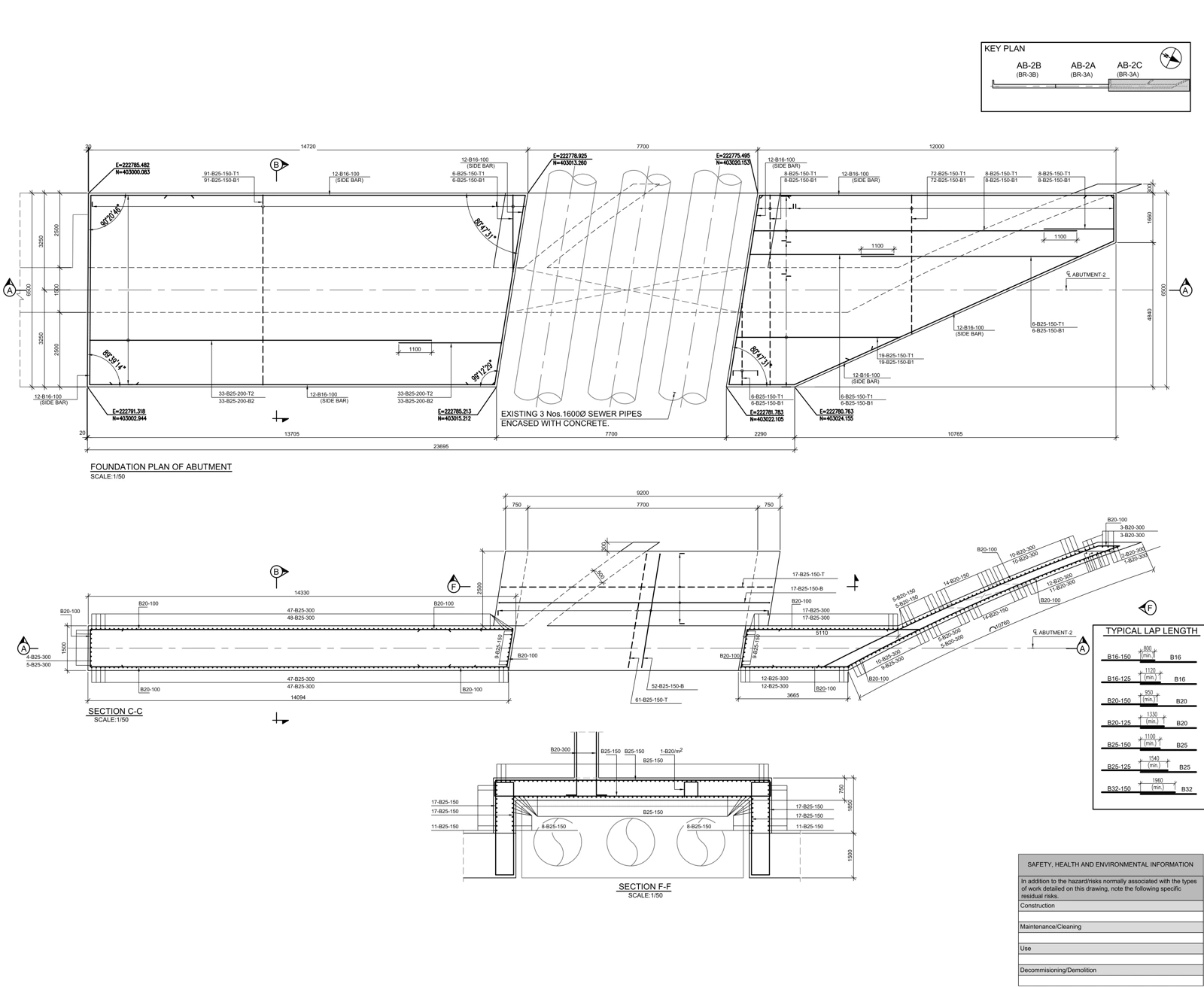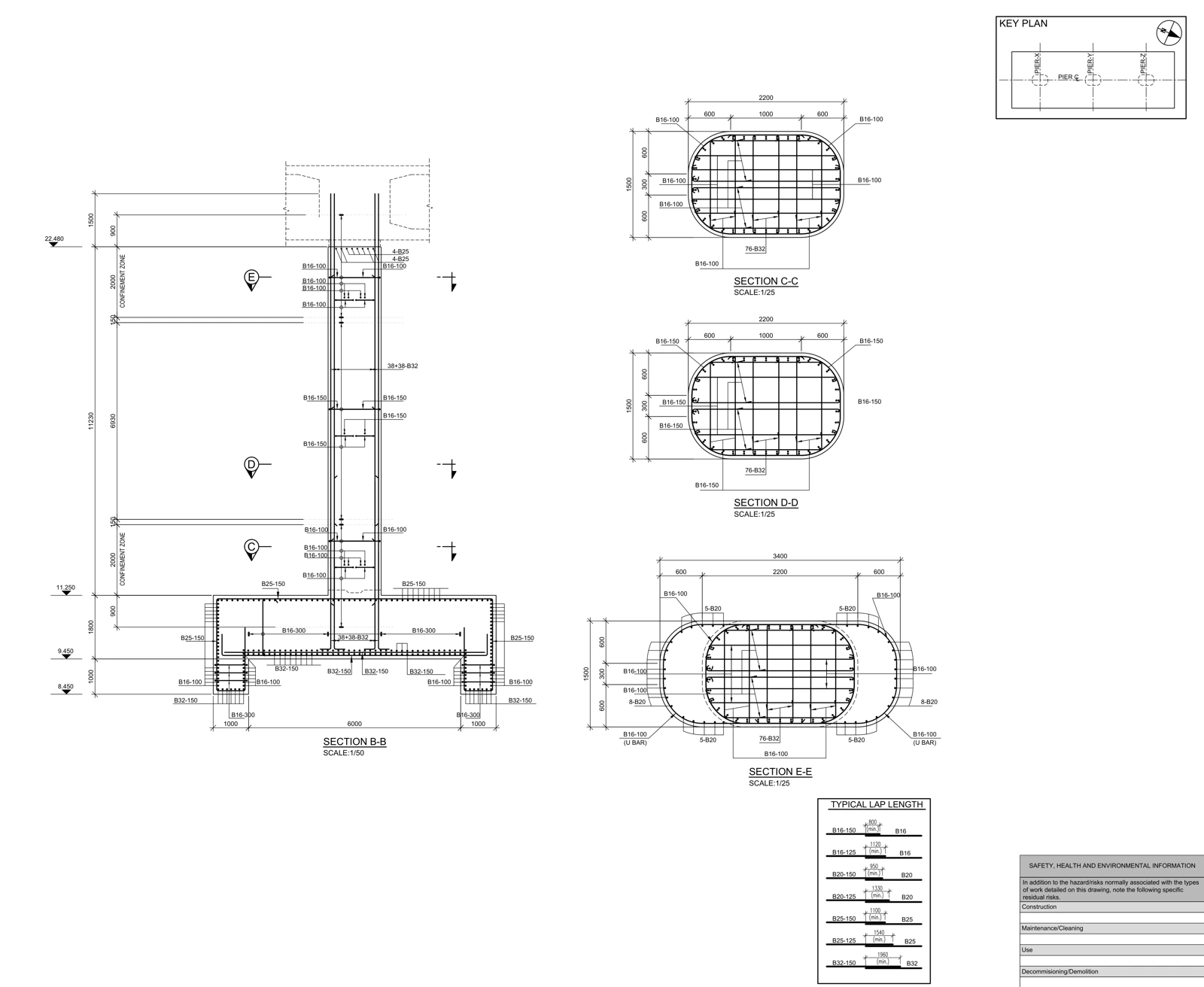
Shop drawings develop design information for coordination and construction preparation. As-built records describe the completed work using reliable field evidence. Renaming the latest revision does not establish an as-built record.
Purpose and issue status
Shop drawings translate design information into elements, interfaces, sequences and drawing references. Producing a sheet does not release it for construction. Review, approval and construction issue statuses follow the project procedure.
Evidence of completed work
As-built work needs field markups, survey records and accepted changes. Record who checked which area and when. A photograph alone does not establish concealed reinforcement or verify every dimension.
Related workflow: Outsourced structural BIM: defining an RVT, IFC and PDF handover ↗
Connect changes to instructions
For each change, identify the element, source instruction and affected drawings. If an opening moves, review its plan, section, detail and discipline interfaces. This is a workflow example, not a defect claim about a published drawing.
Reconcile model and drawings
Check that changes in the model reached the issued PDF set. Linked-file versions and view settings can break apparent consistency. Record the model and PDF versions together rather than relying on matching filenames.
Explore the source document: Real drawing study: bridge pier reinforcement details ↗
What a handover should demonstrate
The register should connect filename, revision, status, supporting record and issue date. List unverified areas explicitly. The recipient can then distinguish documented work from outstanding verification.
References and scope
Primary references for software behavior and information-exchange concepts are listed below. Review matrices are workflow examples prepared for AKSVERO. This article is not a project-specific design calculation or construction approval.
Founding technical specialist · Technical drafter · 40 years of industry experience.
Explore the expertise profile ↗